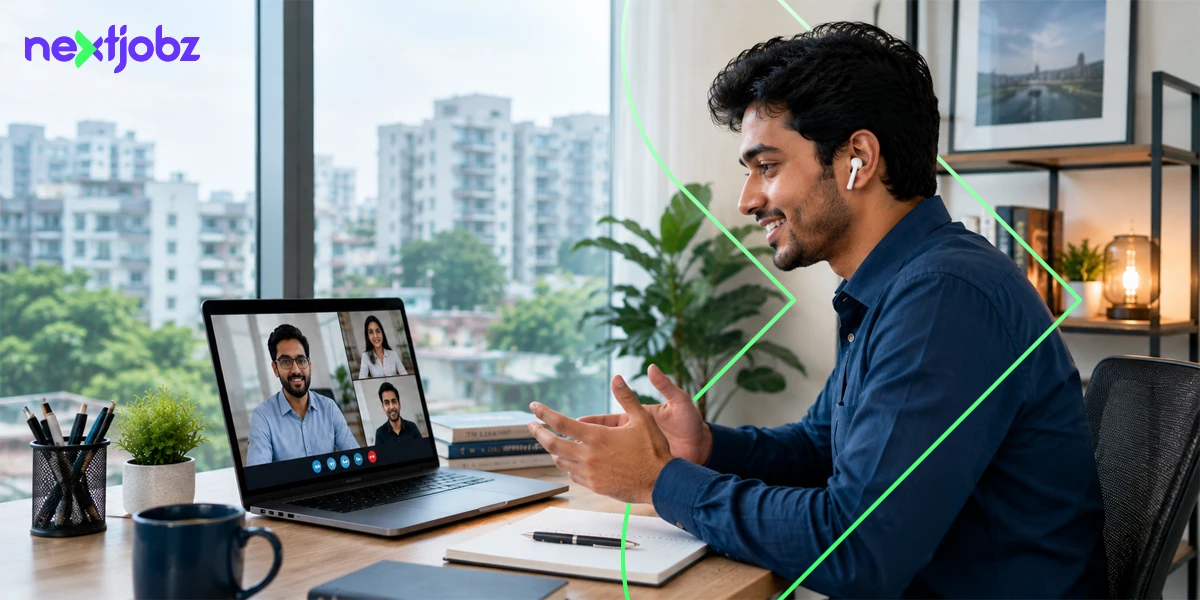
To ace video interviews across Zoom, Microsoft Teams, and automated AI platforms, you need a sharp combination of reliable technical execution, platform-specific tactics, and a structured, data-driven approach to answering questions. These video interview tips will walk you through exactly how.
To stand out, you must treat your webcam lens as your direct gateway to the employer, mastering eye-level framing, setting up front-facing lighting, and utilizing structural frameworks like the STAR method to deliver high-impact answers even under the pressure of an automated countdown timer.
In today’s competitive job market, clearing the initial automated resume screening is only the first hurdle. The moment your application is shortlisted, your very next challenge is stepping into the spotlight.
Whether you are a fresh university graduate preparing for your first entry-level role or a seasoned professional navigating remote, hybrid, or local corporate hiring, virtual screening has become the definitive gateway. This shift is highly efficient for employers, but it introduces a distinct layer of anxiety for candidates who suddenly have to double as their own technical directors.
Understanding how to prepare for a live video call, navigating virtual interview tips, and mastering asynchronous video structures have become core modern career skills.
nextjobz breaks down every technical adjustment, psychological trick, and strategic framework you need to confidently command the screen and land the offer.
The Three Types of Video Interviews You’ll Run Into
Virtual hiring is not uniform. Depending on the company’s size, industry, and hiring tech stack, you will encounter three primary video structures. Each format requires a unique strategic approach.
Live Video Interviews (Zoom, Teams, Google Meet)
This is the closest virtual equivalent to a traditional, face-to-face meeting. It is interactive, dynamic, and synchronous. In Bangladesh, startups, tech firms, and digital agencies often default to Google Meet or Zoom for their agility. Mid- to large local corporations and multinational companies (MNCs) frequently use Microsoft Teams because it integrates seamlessly with their enterprise software.
Panel Interviews
In a panel interview, you face multiple interviewers simultaneously, frequently a mix of HR managers, department heads, and sometimes line technical leads. Local conglomerates and private banks in Bangladesh lean heavily on this format to streamline departmental consensus. The primary challenge is split attention. Because you cannot make direct eye contact in a room, you must address the panel collectively by speaking directly to your camera lens while maintaining your composure as different stakeholders ask questions.
Asynchronous (One-Way) Video Interviews
The asynchronous format is the fastest-growing screening mechanism used by large-scale employers and global remote teams. Instead of speaking to a live human, you log into a specialized platform where pre-recorded text or video questions flash on your screen. You are given a strict preparation window (typically 30 to 60 seconds) followed by a hard cutoff time (usually 1 to 3 minutes) to record your spoken answer.
Video Communication Platforms at a Glance:
| Platform Type | Primary Adopters in Bangladesh | Core Operational Focus |
| Zoom | Tech Startups, Creative Agencies, and MNCs | Requires manual background noise optimization and client updates. |
| Microsoft Teams | Banks, Financial Institutions, and Conglomerates | Deeply integrated with enterprise email; demands strict profile naming conventions. |
| Google Meet | SME Businesses and Initial HR Screener Rounds | Browser-native setup; requires checking camera permissions in advance. |
| Asynchronous Platforms | Global Remote Firms and Management Trainee Tracks | Evaluates timed delivery and automated natural language content structures. |
How AI Actually Scores These Interviews (and What That Means for You)
If you are applying to top-tier tech firms, major financial institutions, or international remote agencies, your one-way recorded session may be processed by an AI-assisted evaluation system. Understanding how automated evaluation tools work demystifies the process and helps you align your delivery with structural benchmarks.
Modern conversational AI and automated vetting tools do not track arbitrary metrics like how often you blink or your minor hand movements. Instead, they focus on structured content delivery and clear verbal articulation.
- Natural Language Processing (NLP): The platform transcribes your audio into text and screens for contextual keyword relevance. If the job description emphasizes “budget forecasting,” “team leadership,” or “agile methodology,” the system notes whether you naturally integrate those concepts into your explanation.
- Structural Completeness: The algorithm checks for logical answer frameworks. It identifies contextual setups, actions taken, and concrete outcomes. Providing a scattered answer with no measurable result lowers the structural assessment score.
- Speech Clarity and Pacing: The system monitors your speech clarity and pacing. Speaking too rapidly due to anxiety or using excessive filler words makes it harder for automated transcription models to accurately parse your core points.
Before the Interview: Setup Checklist
A successful virtual interview relies heavily on your preparation before the meeting link goes live. Treat your physical space like a professional broadcasting studio.
Technical Setup
Technical failures during a high-stakes call are highly stressful. Mitigate these risks with a methodical pre-flight protocol.
- Internet Stability: A standard cellular data connection is rarely sufficient for stable HD video. Use a dedicated broadband line and ensure family members are not streaming heavy media during your slot. Keep a configured mobile hotspot active on your phone nearby as an immediate secondary backup.
- Software Verification: Do not click the meeting link two minutes before the call only to face a mandatory software update. Download the native desktop clients for Zoom, Microsoft Teams, or Google Meet ahead of time. Run a test meeting to verify your microphone input and speaker output.
- Audio Prioritization: Built-in laptop microphones pick up significant ambient noise, including ceiling fan hums and street traffic. Use a dedicated headset or a simple lapel microphone to isolate your voice clearly.
Technical Optimization Parameters:
| Component | Baseline Setup | Professional Benchmark |
| Connectivity | Standard shared broadband connection | Dedicated line connection supported by an active mobile hotspot backup. |
| Audio Capture | Built-in laptop microphone | Wired headset or lapel microphone targeting crisp voice isolation. |
| Camera Alignment | Laptop base resting flat on a low desk | Device raised on an elevated platform until the lens hits direct eye level. |
| Illumination | Ambient overhead room lighting | Single direct light source positioned evenly behind the main screen setup. |
Lighting and Background
Your visual background contributes directly to your initial professional presentation. Position your primary light source directly behind your monitor to evenly illuminate your face. Avoid sitting with a bright window directly behind you, as this creates a silhouette effect that obscures your facial expressions.
Keep your background uncluttered and professional. A neutral wall, a neat bookshelf, or a tidy room corner works best. If your environment is distracting, use a subtle, professional blur effect rather than highly stylized or artificial virtual backgrounds, which can glitch along your shoulders when you move.
What to Wear
Professional attire remains essential for virtual corporate interactions in Bangladesh. Dressing appropriately signals respect for the company’s hiring process and helps you stay focused.
- For Corporate, Banking, and Conglomerate Roles: Opt for formal corporate wear. For men, this means a clean, pressed button-down shirt (a tie or blazer adds a strong professional touch). For women, a formal kurti, salwar kameez, or corporate western formal wear is ideal.
- For Tech Startups, Creative Agencies, and Remote Roles: Smart-casual attire is perfectly acceptable. A solid-colored polo shirt, a neat casual shirt, or an elegant top works well. Avoid loud patterns or stripes, which can cause visual distortion on camera.
- The Full Outfit Rule: Wear professional trousers or a formal skirt, even if you assume the camera will only capture your shoulders. If you unexpectedly need to stand up to adjust a cord or close a door, a mismatched outfit can create an awkward moment.
Corporate Presentation Codes by Sector
| Industry Framework | Attire Guidelines (Men) | Attire Guidelines (Women) |
| Corporate, Banking, & Conglomerates | Solid-colored tailored dress shirt, clean necktie, and dark blazer. | Professional salwar kameez, a tailored, structured kurti, or a formal blazer suit. |
| Tech Startups & Creative Agencies | Well-fitted monochrome polo shirt or a sharp casual button-down shirt. | Modern formal blouse, contemporary workspace top, or clean casual wear. |
| Remote Engineering & Global Devs | Neat, plain minimalist shirt or casual button-down collar design. | Solid-tone workspace top, minimalist smart blouse, or casual corporate wear. |
Practice Your Environment, Not Just Your Answers
Do not let your actual interview be the first time you speak out loud to your webcam. Open your laptop’s camera app or launch a private Zoom room to run a mock practice session.
Observe your posture on screen. Practice looking directly at the camera lens while speaking rather than focusing on your own preview window. Record yourself answering a common prompt, such as “Tell me about yourself”, then play it back to check your pacing, volume, and how clearly your voice transfers through your microphone.
During the Interview: What Actually Matters
When the connection initiates, and your interviewer appears on screen, your focus should shift to communication mechanics and structured content delivery.
Eye Contact and the Camera vs. Screen Problem
The most common psychological challenge in a virtual interview is knowing where to look. Organically, your eyes want to focus on the face of the person speaking on your screen. However, on the other end of the line, this makes you appear to look down or slightly away.
To create the perception of genuine engagement, look directly into your webcam lens when delivering key points. When the interviewer is speaking, you can look back down at your screen to read their expressions and body language.
Position the video window of your interviewer at the very top center of your screen, directly beneath your external or built-in webcam. This minimizes the physical distance between the lens and its image, making your natural gaze look aligned.
Answering Structure (The STAR Method)
When a hiring manager asks a behavioral question, such as “Describe a time you had to resolve a conflict within a team”, avoid offering a winding response. Use the structured STAR method to keep your answers concise and result-oriented.
The STAR Response Allocation Matrix:
| Structural Segment | Target Timeline Allocation | Core Deliverable Focus |
| S – Situation | Approximately 15% of the response | Establish the physical or business context concisely within 2 to 3 lines. |
| T – Task | Approximately 15% of the response | Outline the exact structural hurdle or business problem you needed to resolve. |
| A – Action | Approximately 45% of the response | Detail the exact execution path you drove, emphasizing personal ownership. |
| R – Result | Approximately 25% of the response | Close the loop with a definitive, numbers-driven metric illustrating business growth. |
For example, instead of saying, “I managed the company Facebook page and increased our reach,” frame it clearly using data:
At my previous marketing internship, our organic engagement dropped by 15% due to algorithm changes (Situation). I was tasked with revitalizing our content strategy to regain our baseline traffic (Task).
I designed a weekly video series highlighting local customer stories and optimized our posting schedule for Thursday evenings based on backend analytics (Action). As a result, our organic page reach increased by 35% within 60 days, converting into 40+ verified product inquiries (Result).
Handling Asynchronous Time Limits
One-way interviews require strict time management. When a platform gives you a 90-second limit to answer, do not spend 60 seconds on the background context. Allocate roughly 15% of your time to the Situation and Task, 50% to the specific Actions you drove, and 35% to the Result and core takeaway.
If you notice the on-screen countdown timer hitting the 10-second mark, transition immediately to your final outcome sentence so your recording does not cut off mid-thought.
What to Do If Something Goes Wrong
Unexpected disruptions can happen, but how you manage them demonstrates your problem-solving abilities and resilience.
- If Your Internet Disconnects: Do not panic. Switch immediately to your backup mobile data hotspot, reconnect to the meeting room, and apologize concisely: “Apologies for the brief drop; my connection switched to my backup line. Let’s resume where we left off.”
- If Loud Noise Commences Outside: If a sudden siren, construction work, or a loud neighborhood announcement begins, acknowledge it calmly rather than trying to yell over it: “There’s some unexpected street noise outside my building right now. I’ve enabled background noise suppression, but please let me know if you need me to repeat any point.”
- If a Family Member Enters the Room: Calmly mute your microphone, ask them to step out, turn back to your screen, and resume with a professional smile.
After the Interview: Follow-Up That Doesn’t Get Ignored
Your final point of contact leaves a lasting impression. A structured follow-up underscores your genuine interest in the position.
The Thank-You Message
Send a personalized thank-you email within 24 hours of your interview. Avoid generic templates; reference a specific topic discussed during your live call to show active engagement.
Subject: Next Steps – [Your Name] – [Job Title] Application
Dear [Interviewer Name],
Thank you for taking the time to discuss the [Job Title] role with me today. I enjoyed learning more about how your team plans to expand its digital marketing presence this quarter.
Our conversation about your transition to short-form video content further solidified my interest in the role. I am confident my experience scaling video engagement can directly support this initiative.
Please let me know if you require any additional materials or references from my end. I look forward to hearing from you regarding the next steps.
Best regards,
[Your Name]
[Your Phone Number]
[Your nextjobz Profile URL]
What to Do While You Wait
Once your thank-you note is sent, avoid sending multiple follow-up inquiries. Allow the company’s internal HR team time to process all candidates. Use this window productively: keep your active job-seeking momentum going.
Maintain an up-to-date professional online presence, continue monitoring newly published vacancies in your target sectors, and refine your approach through regular practice sessions.
Common Mistakes That Quietly Cost Candidates the Job
Many job seekers miss out on offers due to subtle oversights that disrupt the flow of a virtual meeting.
Operational Pitfalls vs. Strategic Adjustments
| Documented Candidate Pitfall | Direct Hiring Impact | Corrective Professional Action |
| Presenting scripted notes on-screen | Shifts focal gaze side-to-side, breaking direct engagement tracking. | Place minimal bullet summaries directly adjacent to the physical webcam border. |
| Overlapping conversation tracks | Causes digital audio clipping and suppresses the interviewer’s feed. | Institute a strict one-second buffer pause before initializing your spoken responses. |
| Neglecting baseline profile identity | Dilutes professional image during critical administrative checks. | Standardize application platform usernames to mirror your physical CV presentation. |
Optimize Your Strategy with nextjobz
Mastering virtual interviews takes consistent practice. The nextjobz platform provides comprehensive digital tools designed to help Bangladeshi candidates prepare effectively for modern hiring methods.
- Step 1: Build an ATS-Optimized Profile
Log in to nextjobz.com.bd and use our professional CV templates to build a well-structured, clean profile that passes automated keyword-based screening algorithms effortlessly.
- Step 2: Deploy AI-Driven Job Matching
Let our embedded matching systems scan your explicit technical credentials, location preferences, and experience tier to surface highly compatible vacancies across Bangladesh’s top sectors.
- Step 3: Practice with the Mock Interview Tool
Navigate to the nextjobz mock Interview dashboard. Practice responding to standard corporate and role-specific technical prompts within strict time limits to build your confidence and pacing.
Your Next Video Interview Starts Before You Log In
Your next professional milestone begins long before you log into the virtual meeting room.
Success isn’t just about what you say; it’s about the preparation, the technical stability, and the confidence you build through consistent practice.
Take control of your career path today. Visit nextjobz.com.bd to update your candidate profile, explore active job opportunities, and utilize our mock interview tools to polish your delivery.
Step in front of the lens fully prepared, and ace your next virtual interview!
Frequently Asked Questions
What is the difference between a live video interview and an asynchronous (one-way) interview?
A live video interview is a real-time, interactive conversation conducted on platforms such as Zoom or Teams. An asynchronous interview is a one-way, recorded session in which you read or listen to automated prompts and record your answers within a fixed time limit, without a live interviewer present.
How do I prepare for a nextjobz interview?
Ensure your profile is 100% complete with clean, structured descriptions. Research the hiring organization thoroughly, review the explicit target requirements listed in the job description, and use the platform’s career resources to build crisp, data-focused answers.
What should I wear for a video interview?
Dress in full professional attire that aligns with the industry’s culture. For private banks and established conglomerates in Bangladesh, go with formal corporate wear. For creative agencies or tech startups, a clean and professional smart-casual choice is suitable.
How does AI score a video interview?
AI assessment tools transcribe your spoken audio into text to evaluate keyword relevance, check for clear structural frameworks like the STAR method, and verify that your communication pacing is clear and easy to follow.
Should I look at the camera or the screen during a video interview?
Look directly into your webcam lens when speaking to maintain genuine eye contact with the interviewer. When the interviewer is speaking, shift your gaze back down to your screen to naturally read their expressions.
What if my internet connection drops during the interview?
Calmly switch over to your pre-configured mobile data hotspot backup line. Rejoin the meeting link promptly and offer a concise, professional explanation before resuming your answer.
How long should my answers be in a recorded video interview?
Aim for a duration of 90 seconds to 2 minutes per answer. Allocate the majority of that timeframe to detailing your specific actions and the measurable business outcomes you achieved.
Can I use notes during a video interview?
Avoid using full scripts or reading from your monitor. You may place a small sticky note with 3 to 4 critical numbers or metrics directly next to your webcam lens for quick reference.
What lighting and background setup is best for a video interview?
Position a steady, diffused light source directly behind your monitor screen to illuminate your face evenly. Sit against a clean, uncluttered, and quiet background, and use a subtle background blur if needed.
How do I follow up after a video interview?
Send a personalized thank-you email within 24 hours of the call. Express your gratitude for their time, reference a specific topic from your conversation, and state your continued interest in the role.